Do You Need More Console Storage? What Each Console Accepts, and What to Check First
Extra storage buys back re-download time, not backlog space. What PS5, Xbox and Switch 2 each accept, the figures that decide fit, and what to skip.
Console storage expansion is worth buying when you routinely run out of space and re-download the same games — that is, when your installed library is what fills the drive. It is a poor purchase when the drive is full of games you finished a year ago, because no amount of capacity makes you play them.
That distinction is the whole decision, and it has three inputs: how much usable space your console gives you, which upgrade the console actually accepts, and whether that upgrade lets you play a game or only store it. The third one is where most buyers lose money, because the cheapest drive and the only drive that works are often not the same drive.
One-line conclusion: buy expansion when a game you still play has to be deleted to make room for another; buy it for storage rather than playback only when the games you are parking are last-generation titles.
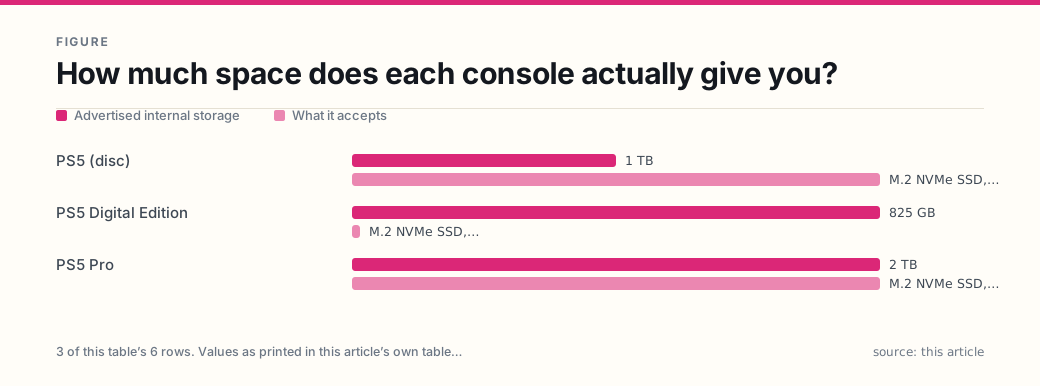
How much space does each console actually give you?
Advertised figures, as published by each manufacturer:
| Console | Advertised internal storage | What it accepts |
|---|---|---|
| PS5 (disc) | 1 TB | M.2 NVMe SSD, or USB extended storage |
| PS5 Digital Edition | 825 GB | M.2 NVMe SSD, or USB extended storage |
| PS5 Pro | 2 TB | M.2 NVMe SSD, or USB extended storage |
| Xbox Series X | 1 TB (a 2 TB edition also exists) | Storage Expansion Card, or USB 3.1 drive |
| Xbox Series S | 512 GB (1 TB editions also exist) | Storage Expansion Card, or USB 3.1 drive |
| Nintendo Switch 2 | 256 GB | microSD Express card only |
Every advertised number is larger than the number you can use, for two reasons that are worth knowing before you shop.
First, capacity is counted in decimal units. Sony’s own safety guide states that SSD capacity is “calculated using base 10 mathematics (1 GB = 1,000,000,000 bytes)”, which is why a “1 TB” drive shows up in a computer as roughly 931 GB — the drive is not short, the units differ.
Second, part of the drive is reserved. Sony says “a portion of the SSD capacity is reserved for use in connection with console administration, maintenance, and additional options”, and that the portion “may vary depending on the console, system software version, or available options”. Nintendo says the same thing more briefly: 256 GB, “a portion of the storage is reserved for use by the console”.
Neither company publishes a single usable figure that holds across models and system versions, so this article does not print one. The number that decides your purchase is on your own console’s storage screen, and it is the only number worth writing down.
Does buying games on disc save you storage?
No, and this is the most expensive misunderstanding in the category.
On a PS5, Sony’s instructions are explicit: “Insert your game disc into the disc slot. The game installs automatically the first time you play it.” The same page adds, “Keep the disc inserted every time you play the game.” Games too large for one disc split across a data disc and a play disc; both are read during installation, and the play disc stays in the drive afterwards.
So a disc is two things — an installation source and a license check — and neither of them is storage. A disc library fills the SSD about as fast as a downloaded one. What the disc buys you is bandwidth (you skip the download) and resale value, not gigabytes. The resale and lending rights that come with a disc are a separate decision, covered in disc versus digital.
That matters more than it used to. Sony’s PS5 product page carried this notice when this article was checked on 3 November 2026: “From Jan. 2028, newly released games on PlayStation will be available for purchase on PlayStation Store and at retailers in digital format only.” Discs released before that date remain playable; new releases after it will not exist on disc. If your plan for the next console generation assumes a shelf of discs is your library, the shelf is on a clock. That shift also changes what you own — a license rather than an object — which is the subject of digital game ownership explained.
What can you add to each console?
The three platforms answer this question in three different ways, and only one of them lets you choose the drive.
| Console | Upgrade that plays everything | Cheap option | Plays from the cheap option? |
|---|---|---|---|
| PS5 | M.2 NVMe SSD in the internal slot | USB extended storage, 5 Gbps or faster, 250 GB–8 TB | PS4 games yes; PS5 games no — copy back first |
| Xbox Series X|S | Storage Expansion Card, 512 GB / 1 TB / 2 TB | USB 3.1 external drive, 128 GB minimum | Last-generation games yes; Optimized games no |
| Switch 2 | microSD Express card, up to 2 TB | none — USB hard drives are not supported | n/a |
Read the last column twice. It is where the money goes wrong.
On a PS5, Sony states plainly that “PlayStation 5 games can’t be played directly from USB extended storage” and must be copied back to console storage or to an M.2 SSD. PS4 games are the exception and run straight off the USB drive. So a cheap USB drive is a legitimate answer for a PS4 backlog and a frustrating answer for someone whose PS5 library is the problem.
On Xbox, Microsoft puts the line in the support article itself: “To play games that are optimized for Xbox Series X|S, they need to be installed on the console’s internal SSD or Storage Expansion Card.” A USB 3.1 drive (128 GB minimum) will hold anything, and it is the right place for a back catalog — it just will not launch a current-generation title.
On Switch 2, there is no second option at all. External USB hard drives are “not currently supported”, and the console takes only microSD Express cards.
What are the figures you have to match on a PS5?
A PS5 M.2 purchase is a specification match, not a preference. Sony’s requirements, as published:
| Requirement | What Sony specifies |
|---|---|
| Interface | PCI-Express Gen4x4 M.2 NVMe SSD, Key M |
| Capacity | 250 GB to 8 TB |
| Form factor | 2230, 2242, 2260, 2280, 22110 |
| Width, including cooling | Up to 25 mm |
| Length | 30 / 42 / 60 / 80 / 110 mm |
| Thickness, including cooling | Up to 11.25 mm (8.0 mm above the board, 2.45 mm below) |
| Sequential read | 5,500 MB/s or faster is recommended |
| Cooling | A cooling structure such as a heatsink is required |
| M.2 SATA | Not supported |
Three of these catch real buyers. The width and thickness limits include the heatsink, and Sony warns that heatsink sizes “vary greatly” — a drive can meet the electrical spec and still not fit under the slot cover. The cooling requirement is not optional: Sony says not to use an M.2 SSD without a heat-dissipation mechanism, and separately advises against stacking a second heatsink on a drive that already has one. And SATA is out; the slot is NVMe only.
Two more rules from Sony’s FAQ change how you plan, rather than what you buy. You must format the entire drive — you cannot dedicate part of it. And all data for a specific game must be stored in the same place, so you cannot split one large title across the internal SSD and the M.2.
Finally, the honest caveat, in Sony’s words: “SIE cannot guarantee that all M.2 SSD devices meeting the described specifications will work with your console.” The company also notes that some games may not perform exactly as they do on the internal drive even above 5,500 MB/s. That sentence is the reason the next section exists.
Is the Xbox Storage Expansion Card worth its price?
The card is the only external drive that Microsoft says “performs identically to the console’s internal SSD”, and the only one that can launch games Optimized for Xbox Series X|S. It comes in 512 GB, 1 TB and 2 TB, and it is compatible with Xbox Series X|S only — not with an Xbox One, not with a Windows PC.
Prices move, so treat the following as a dated data point rather than a current quote. When Microsoft announced the two new capacities on 21 October 2021, the stated US prices were $139.99 for 512 GB and $399.99 for 2 TB.
| Card | Announced price (Oct 2021) | Price per advertised GB |
|---|---|---|
| 512 GB | $139.99 | $0.273 |
| 2 TB (2,000 GB) | $399.99 | $0.200 |
The larger card was about 27% cheaper per gigabyte at those prices, which is the usual shape of storage pricing: the smallest capacity carries the worst ratio. Both figures are per advertised gigabyte, so the real cost per usable gigabyte is higher on both — the reserved portion comes off each card equally.
The reason the card can charge a premium at all is that it is a capacity purchase with no compromise attached — every game stays playable, including current-generation titles, and Microsoft notes that Quick Resume keeps its data on the internal SSD, so it works whichever drive the game sits on. Compare it against what you would otherwise spend re-downloading games you still play, not against a bare M.2 drive that cannot do the job on an Xbox at all.
What about the Switch 2?
The Switch 2 changed the card standard, and the change is not backward compatible for game data.
Nintendo states that the console is “only compatible with microSD Express cards”, up to 2 TB. A standard microSD, microSDHC or microSDXC card cannot be used to store game data on a Switch 2 — even a card you have been using in an original Switch. That card still works in the older console; it just does not carry over.
Four details that decide whether you need one at all:
- Downloaded software, updates and DLC can go on the card; Nintendo says a card “can be used to save screenshots and software data, including downloaded software, software updates and DLC”.
- Save data cannot be saved or copied to the card. Saves live in system memory, which means swapping cards never risks a save file.
- A system update over the internet is required the first time you use a microSD Express card.
- Nintendo says that “at this time, there are not individual games that require additional storage space to play” — so on a new console, a card is optional, not a setup requirement.
One related purchase deserves a warning. Nintendo’s game-key cards “don’t contain the full game data” — the card is a key that downloads the game. A game-key title is a physical-looking box that still consumes internal storage like a download, so it does not solve a space problem and does not behave like a disc.
Does installing your own drive void the warranty?
Not in the way the sticker on the case implies — and this is a consumer-law question with a documented federal answer.
In April 2018 the Federal Trade Commission sent warning letters to six companies that marketed and sold automobiles, cellular devices and video gaming systems, warning that statements requiring consumers to use specified parts or services to keep a warranty intact “generally are prohibited by the Magnuson-Moss Warranty Act” unless the warrantor provides those parts or services for free or holds a waiver from the FTC. The FTC added that such statements may also be deceptive under the FTC Act. The commission’s own examples included a clause voiding coverage if a “warranty seal” had been “altered, defaced, or removed”.
What that means in practice: a warranty still covers a defect in the console, and a blanket “opening the case voids everything” claim is the kind of term the FTC has already objected to. What a warranty will not cover is damage you cause — a stripped screw, a bent slot, a drive installed without the required cooling.
Two practical notes. Sony asks that you remove the M.2 SSD before sending a PS5 in for repair, so keep the screws and the slot cover. And state law sits underneath the federal statute: every state implies a warranty of merchantability in consumer sales, and the details of notice, remedies and time limits vary by state, so a claim beyond the manufacturer’s own terms runs on your state’s rules rather than a national one. The wider version of this argument — who may repair a device you own — is in right to repair explained.
What should you buy, in order?
Work down this list and stop at the first line that solves the problem.
- Measure. Open the console’s storage screen and write down installed size and free space. If free space is healthy and the drive merely looks full of unfinished games, the answer is the backlog, not a drive — see backlog management.
- Delete what you will not replay. On Switch 2 this is risk-free for saves, since save data stays in system memory. On any platform, a re-download costs time and bandwidth, not money, for a game you already own.
- A USB drive, if the overflow is last-generation games. Cheapest per gigabyte, and both PS4 games on a PS5 and last-generation Xbox games play directly from it.
- An M.2 SSD, if PS5 games are what you are deleting. Match the table above, buy from a retailer with a return window, and keep the packaging until the drive has formatted and launched a game.
- A Storage Expansion Card, if the Xbox games you delete are current-generation. Nothing else on that console will launch them from external storage.
- Nothing, if after step 1 and step 2 you still have room. Capacity is not a substitute for deciding what you play.
What not to buy
- An M.2 drive without a heatsink, or one whose heatsink pushes it past 25 mm wide or 11.25 mm thick. Sony requires a cooling structure and warns that cooler dimensions vary too much to assume.
- An M.2 SATA drive. The slot is NVMe only.
- A drive sold as “PS5 compatible” with no stated dimensions. The specification, not the badge, decides fit.
- A standard microSD card for a Switch 2. Only microSD Express works for game data.
- A used card or drive with no return path. Since Sony explicitly does not guarantee that every conforming drive will work, the retailer’s return window is your only test — and it is worth more than a small discount.
- Extra capacity bought to hold a backlog you have already abandoned. That is the one purchase on this list that reliably loses value.
The short version: storage solves a deletion problem, not a collection problem. Buy the upgrade that lets the games you actually play keep running, and let everything else be a download.
Frequently asked questions
- Does buying games on disc save console storage?
- No. On a PS5, Sony's own instructions say the game installs automatically the first time you play it, and that you keep the disc inserted every time you play. The disc is an installation source and a license check, not a place the game runs from, so a disc library fills the drive about as fast as a downloaded one.
- Can I play PS5 games from a USB external drive?
- No. PlayStation 5 games cannot be played directly from USB extended storage; they have to be copied back to console storage or to an installed M.2 SSD first. PS4 games are the exception and can be played straight from the USB drive.
- Will installing my own M.2 SSD void the PS5 warranty?
- A blanket 'installing your own parts voids the warranty' condition is the kind of term the FTC told manufacturers to stop using in 2018, because the Magnuson-Moss Warranty Act generally prohibits conditioning coverage on specified parts or services. What a warranty still covers is a defect in the console; what it will not cover is damage you cause while installing. Sony also asks you to remove the drive before sending the console for repair.
- Can I use a normal microSD card in a Nintendo Switch 2?
- No. The Switch 2 accepts only microSD Express cards, up to 2 TB. A standard microSD, microSDHC or microSDXC card cannot be used to store game data on it, even though the same card works in the original Switch.
- Is the Xbox Storage Expansion Card worth it?
- It is the only way to play games Optimized for Xbox Series X|S from external storage, and Microsoft says it performs identically to the internal SSD. That makes it a capacity purchase with no compromise attached. Whether it is worth the premium depends on how often you would otherwise re-download a game you still play.
Sources
Each source is a primary or official reference, checked before publication. Links open the original.
- Sony Interactive Entertainment — 'How to add an M.2 SSD to a PS5 console' (https://www.playstation.com/en-us/support/hardware/ps5-install-m2-ssd/): the requirement table (PCI-Express Gen4x4 M.2 NVMe, Key M; 250 GB–8 TB; form factors 2230/2242/2260/2280/22110; width up to 25 mm, thickness up to 11.25 mm; 5,500MB/s or faster recommended; Socket 3); 'M.2 SATA SSDs aren't supported'; the cooling-structure requirement; 'SIE cannot guarantee that all M.2 SSD devices meeting the described specifications will work'; and the FAQ answers that the whole drive must be formatted, that all data for one game must live in one place, and that the drive should be removed before sending the console for repair
- Sony Interactive Entertainment — 'USB extended storage on PS5 consoles' (https://www.playstation.com/en-us/support/hardware/ps5-extended-storage/): SuperSpeed USB 5 Gbps or later; 250 GB minimum and 8 TB maximum; no connection through a USB hub; only one USB extended storage drive usable at a time; 'PlayStation 5 games can't be played directly from USB extended storage'; and PS4 games playable directly from it
- Sony Interactive Entertainment — 'How to play PlayStation games on disc' (https://www.playstation.com/en-us/support/hardware/disc-game-install/): 'Insert your game disc into the disc slot. The game installs automatically the first time you play it' and 'Keep the disc inserted every time you play the game'; dual-disc releases install from the data disc, then the play disc
- Sony Interactive Entertainment — PS5 product page (https://www.playstation.com/en-us/ps5/) and PS5 Pro product page (https://www.playstation.com/en-us/ps5/ps5-pro/): 'PS5 console - 1TB', 'PS5 Digital Edition - 825GB', and '2TB of storage' for the Pro, with the Pro page's footnote that 'A portion of the SSD is reserved for system software and other functions so the available SSD capacity may vary'; the PS5 page's standing notice that 'From Jan. 2028, newly released games on PlayStation will be available for purchase on PlayStation Store and at retailers in digital format only', read on 3 November 2026
- Sony Interactive Entertainment — PS5 Safety Guide, CFI-1215A (https://www.playstation.com/content/dam/global_pdc/en/corporate/support/manuals/ps5-docs/1200a/EN_FR_ES_AMER_CFI-1215A_Safety_Guide_Web.pdf): 'Storage 825 GB Custom SSD', with the footnotes that capacity is 'calculated using base 10 mathematics (1 GB = 1,000,000,000 bytes)' and that 'a portion of the SSD capacity is reserved for use in connection with console administration, maintenance, and additional options'
- Microsoft — Xbox Support, 'Use the Storage Expansion Card for Xbox Series X|S' (https://support.xbox.com/en-US/help/hardware-network/storage/use-storage-expansion-card-xbox-series-x-s): the card adds 2 TB, 1 TB or 512 GB and 'performs identically to the console's internal SSD'; it can play Optimized for Xbox Series X|S games; it is compatible with Xbox Series X|S only and not with Xbox One or Windows devices; games can be stored on any compatible device (USB 3.1, 128 GB minimum); 'To play games that are optimized for Xbox Series X|S, they need to be installed on the console's internal SSD or Storage Expansion Card'
- Microsoft — Xbox console comparison (https://www.xbox.com/en-US/consoles/compare) and Xbox Series X product page (https://www.xbox.com/en-US/consoles/xbox-series-x): internal storage by model — Series X 1 TB and a 2 TB Galaxy Black edition, Series S 512 GB and 1 TB editions — plus the dedicated storage expansion port and USB 3.1 external HDD support
- Xbox Wire, 'New 2TB and 512GB Seagate Storage Expansion Cards for Xbox Series X|S', 21 October 2021 (https://news.xbox.com/en-us/2021/10/21/new-seagate-storage-expansion-cards/): the 512 GB card at $139.99 and the 2 TB card at $399.99 in US dollars at announcement; that the cards were designed to deliver 'the exact same consistent, sustained performance of our internal SSD'; and that Quick Resume persists data on the internal SSD so it works regardless of which drive a game is played from
- Nintendo — 'Nintendo Switch 2 Data Management FAQ' (https://www.nintendo.com/en-za/Support/Nintendo-Switch-2/Nintendo-Switch-2-Data-Management-FAQ-2842540.html): 'Nintendo Switch 2 has 256 GB of storage space (a portion of the storage is reserved for use by the console)'; a microSD Express card can hold downloaded software, updates and DLC; 'External USB hard drives are not currently supported'; save data is stored in system memory and cannot be saved or copied to the card; 'At this time, there are not individual games that require additional storage space to play'; and game-key cards 'don't contain the full game data'
- Nintendo — 'microSD Card and microSD Express Card Compatibility with Nintendo Switch 2 and Nintendo Switch' (https://nintendo.com/au/support/articles/microsd-card-and-microsd-express-card-compatibility-with-nintendo-switch-2): 'Nintendo Switch 2 is only compatible with microSD Express cards'; capacities up to 2 TB; a system update over the internet is required the first time a microSD Express card is used
- Federal Trade Commission — 'FTC Staff Warns Companies that It Is Illegal to Condition Warranty Coverage on the Use of Specified Parts or Services', 10 April 2018 (https://www.ftc.gov/news-events/news/press-releases/2018/04/ftc-staff-warns-companies-it-illegal-condition-warranty-coverage-use-specified-parts-or-services): warning letters to six companies marketing and selling automobiles, cellular devices and video gaming systems; such statements 'generally are prohibited by the Magnuson-Moss Warranty Act' unless the warrantor provides the parts or services for free or receives a waiver from the FTC, and may be deceptive under the FTC Act