What TV does a PS5 or Xbox actually need? Five spec-sheet lines that decide the picture
A console uses only part of what a TV advertises. Which port, which cable and which setting decide 4K at 120Hz — and the numbers you can safely ignore.
A TV for a PlayStation 5 or an Xbox Series X is not chosen by adding up the numbers on the box. Five things decide how a console will look on it: 4K at 120Hz, an HDMI 2.1 port that can carry that signal, variable refresh rate, a certified 48Gbps cable, and HDR actually arriving on the same port. Everything else on the carton — 144Hz, “HDMI 2.2,” the smart platform, the curve — changes nothing about the picture.
That narrowing is the whole purchase. It also means the cheapest set that lists those five on the port you will actually use beats a more expensive set with bigger numbers, because the console cannot reach the bigger numbers.
One-line conclusion: as of 5 November 2026 no PlayStation or Xbox outputs more than HDMI 2.1’s 48Gbps, so the right TV is the one that puts 4K at 120Hz, VRR and ALLM on a port you can reach — not the one with the highest figures on the label.
What does each console actually send to the TV?
Published by the two platform holders, not measured by us:
| Console | Game resolution | 120Hz output | VRR | ALLM | HDR format listed | HDMI |
|---|---|---|---|---|---|---|
| PS5 | Up to 4K (2160p); 1440p supported | Yes, via the 120 Hz Output setting | Yes, on HDMI 2.1 VRR-compatible displays | Yes | HDR, with Adjust HDR; no Dolby Vision setting in Sony’s guide | HDMI 2.1 |
| PS5 Pro (CFI-7000 model group) | Up to 8K, but only with DSC-capable 8K 60Hz screens | Yes | Yes — except during 8K output, when Sony disables it | Yes | As above | HDMI 2.1 |
| Xbox Series X | “TRUE 4K” | Yes | Yes | Yes | HDR10 and Dolby Vision | HDMI 2.1 out |
| Xbox Series S | 1440p for games (“capable of 8K” for video) | Yes | Yes | Yes | HDR10 and Dolby Vision | HDMI 2.1 out |
Two lines in that table are the ones people misread.
The first is Series S. Microsoft’s comparison page lists its gaming resolution as 1440P and its video capability as “Capable of 8K.” Those are different sentences about different jobs. A 4K TV is still the right purchase — the console will output to it and the TV will scale — but 1440p is its target output for games, not 4K, so a premium paid specifically for 4K game rendering is money the console will not collect.
The second is 8K. Sony gates “Allow 8K Output” to “consoles from the CFI-7000 model group,” the model group its own 8K guide calls the PS5 Pro, and the setting additionally needs an 8K 60Hz screen with Display Stream Compression. On a standard PS5 the toggle does not exist. Xbox’s “Up to 8K” is a display-output ceiling for video, not a promise about games.
Does 120Hz on a TV mean 120 frames per second?
No, and the confusion is expensive because it is the one feature people pay the most for.
Sony’s own description of the setting is precise: “120 Hz Output — Turn on to enable 120 Hz video output for your TV and games that support 120 Hz frame rate.” Read the last clause. The console will send up to 120 refreshes per second; the game has to produce 120 frames to fill them. A game with only a 60fps mode sends 60 frames into a 120Hz panel, and the panel shows each frame twice. That looks like 60fps — because it is.
So the question is not “does the TV do 120Hz” but “do the games I play have a 120fps mode, and is my display path clean enough to carry it.” In our reading, the gap shows on a shooter or a racing game with a performance mode, and is close to invisible on a story-driven game that renders at 30fps in its quality mode.
The second half of the answer is where the money leaks. Microsoft’s 2020 launch guidance for these consoles is blunt: “Some displays can only hit a 120 Hz refresh rate at certain resolutions (such as 1080p), or only by utilizing specific HDMI ports using an HDMI 2.1 connection.” A TV can therefore be honestly labeled 120Hz and still hand your console 1080p at 120Hz, because the port it is plugged into is not the fast one.
Which port is the HDMI 2.1 port?
This is the most common reason a correct purchase underperforms, and both platform holders say the same thing in their own words. Sony’s 4K 120Hz troubleshooting asks, as a checklist item: “Is the PS5 console connected to an appropriate HDMI port (2.1) on the TV? Check the TV manual for more information. HDMI 2.1 support may require that you change settings via the TV.” Microsoft’s version: “On some TVs, only specific HDMI ports support HDMI 2.1, so it’s worth consulting your television’s manual to see which of your HDMI ports support this.”
Two separate things usually have to be right. The console has to be plugged into the port that is actually 2.1, and that port’s enhanced signal mode may have to be switched on first — both platform holders say the TV itself may need a setting changed before it accepts the full signal, and the manual’s port table is the only reliable statement of which input is which. The menu names differ by brand, and Microsoft published a list of them in 2020; treat it as examples of what to look for rather than a current manual, since manufacturers rename these menus and Philips’ version of the switch is labeled “Normal”:
| Brand | Setting Microsoft listed for 4K and HDR on that brand (2020) |
|---|---|
| LG | HDMI ULTRA HD Deep Color |
| Panasonic | HDMI HDR Setting |
| Philips | HDMI mode |
| Samsung | HDMI UHD Color |
| Sony Bravia | HDMI signal format → Enhanced format (Microsoft notes “the default is Standard”) |
| Vizio | HDMI Color Subsampling; on the P-series, HDMI Mode → 2.1 |
You do not have to memorize any of it, because both consoles will tell you what they are getting.
- On a PS5: Settings > Screen and Video > Video Output, then “Information for the Connected HDMI Device” — Sony’s guide says it reports the connected device’s resolution, VRR and HDR.
- On an Xbox: Settings > General > TV & Display Options > 4K TV details. Microsoft says you “should see a series of green checkmarks across the board”; a missing check names the feature the current port or cable is not passing.
Move the cable to the next port and look again. It costs a minute, it needs no new hardware, and it is the first test worth running before you spend an evening on firmware updates.
Does the HDMI cable matter?
Yes, and the label on the cable is the part almost everyone gets wrong.
The HDMI Forum defines exactly one cable for the 48Gbps that a console needs: the Ultra High Speed HDMI Cable, Category 3, which HDMI Licensing Administrator describes as “applicable for system configurations supporting up to 48Gbps maximum bandwidth” and designed to support “4Kp50/60/100/120 and 8Kp50/60.” It arrived with the HDMI 2.1 specification and reached the market in 2020.
Now the trap. HDMI’s own trademark rules state that “NO use of version numbers is allowed in the labeling, packaging, or promotion of any cable product,” and that version numbers may be used only when “clearly associating the version number with a feature or function.” A cable whose blister pack shouts “HDMI 2.1” is therefore not quoting an official certification — no compliant cable package can. The string to look for is the certification name and its label: Ultra High Speed HDMI, Category 3.
Length matters more than price. The specification “does not indicate a cable length,” and certification is granted per model length, so a long uncertified run is the one place where an inexpensive cable genuinely can cost you 4K120. If the run to a wall-mounted TV is longer than the boxed cable, buy a certified Ultra High Speed cable at that length rather than an adapter chain.
What is actually in the box:
- Xbox Series X — Microsoft lists an “Ultra High Speed HDMI cable” in the box.
- Xbox Series S — a “High Speed HDMI cable.” Microsoft’s older setup guidance names the certified types as “Ultra High Speed HDMI” for Series X and “HDMI High Speed or HDMI Premium” for Series S, so a Series S on a 4K120 display is the combination most likely to need a new cable.
- PS5 — Sony’s troubleshooting says to use “the cable included with the PS5 console or an Ultra High-Speed Cable that is rated for 4K 120 Hz output.”
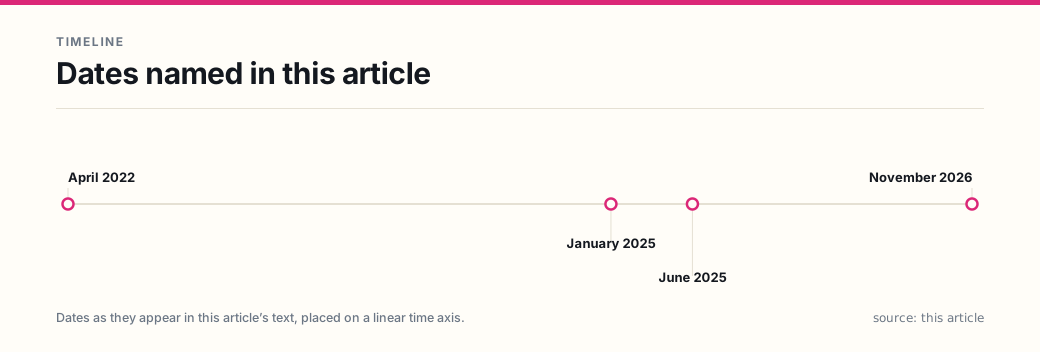
Do not buy HDMI 2.2 for a console. The HDMI Forum released version 2.2 on 25 June 2025, moving the ceiling to 96Gbps with a new Ultra96 cable, and announced it at CES on 6 January 2025. No console on the market outputs above 48Gbps. A 2.2-certified TV or cable is not harmful — the cables are backward compatible — but the premium buys headroom that the console cannot fill, and it does nothing for picture quality at 4K120.
Is VRR worth paying for?
VRR is the feature most likely to be visible in the first ten minutes of play, and the least likely to appear in a showroom demo.
The HDMI specification’s own description of the problem is the clearest explanation available: graphics processors “require different absolute periods to render each frame,” and when one cannot finish the next frame on time, “the source must either repeat the current frame or display the partially-rendered next frame, which causes judder and tearing.” VRR makes the display wait for the frame instead of the frame waiting for the display.
Both consoles support it. Sony began rolling VRR out to PS5 globally in the week of 25 April 2022, and its description is specific about the hardware: on “HDMI 2.1 VRR-compatible TVs and PC monitors, VRR dynamically syncs the refresh rate of the display to the PS5 console’s graphical output.” It is on by default for supported games, can be switched off under Screen and Video, and carries an extra option — “Apply to Unsupported Games” — that tries to stabilize frame rates in games that never implemented VRR.
Three qualifications that decide whether it is worth money to you:
- It does not raise a frame rate. It removes the visual penalty for a frame rate that moves. On a game locked at a steady 60fps you will see little change; on a game that swings between 50 and 60 it is the difference between smooth and stuttering.
- Sony says results vary by display, game and visual mode, and Xbox lists VRR as a Series X|S feature while leaving the result to the panel. The console side is binary; the display side is not.
- On a PS5, 8K and VRR are mutually exclusive — Sony’s 8K limitations say “VRR is disabled during 8K output.” Another reason the 8K line on a box is not a feature you are buying.
What about HDR, Dolby Vision, and the “enhanced” setting?
HDR has the same port problem as 120Hz, and it fails more quietly. Microsoft’s setup guide puts HDR10 support on both the TV and “the HDMI port you are connected to,” and lists HDCP 2.2 as a further requirement for protected 4K content. When that support is missing the console does not usually fail loudly — the game runs in standard dynamic range and looks normal, just flatter, so a reader can spend months on SDR without noticing.
The two consoles are not identical here, and the difference is worth knowing before you pay for it:
- Xbox Series X and Series S both list Dolby Vision, alongside HDR10.
- PS5 — Sony’s video output guide lists HDR, Adjust HDR and Deep Color Output, with no Dolby Vision setting.
So Dolby Vision on a TV is a feature an Xbox can use and a PS5 cannot. If movies and shows also run through the console, that tilt matters; if the TV’s own apps do the streaming, it does not.
What can you ignore?
- 8K, unless you own the one console that can output it. The setting is gated to the PS5 Pro model group, needs a DSC-capable 8K 60Hz screen, and turns VRR off while it runs. On a standard PS5 the toggle does not exist, and Xbox’s 8K figure is a video-output ceiling.
- 144Hz and 240Hz panels. Both consoles top out at 120Hz output. A 240Hz monitor is a PC purchase.
- “HDMI 2.2” as a reason to choose one TV over another. See the bandwidth note above.
- “8K capable” on a Series S box. A video-output ceiling, not a game resolution.
- The smart platform. You will spend most of your time in the console’s interface, and the TV’s apps are the part that stops being updated first.
- A curve. A viewing-position preference, not a gaming feature.
How do you check before the return window closes?
Do this in the first evening, while you can still return the set. Each step tests one link.
- Connect the console directly to the TV — no receiver, soundbar or switch in between. Add those back only after the direct connection tests clean.
- Find the 2.1 port and turn that port’s enhanced signal mode on.
- Read the console’s own report. On a PS5, open “Information for the Connected HDMI Device”; on an Xbox, open 4K TV details and look for the row of green checkmarks.
- Confirm 4K at 120Hz specifically. On a PS5, Resolution at Auto or 2160p, 120 Hz Output on, and Video Transfer Rate at Auto — Sony’s own documentation says selecting -1 or -2 limits 4K 120Hz output, which is a setting people change to fix flicker and then forget.
- Turn VRR on and check it engages in a game that supports it, not just in the menu.
- Check HDR in a game, not a menu. A washed-out or dim image at this point is worth testing against the port’s signal mode before you blame the panel.
Return windows and restocking fees are set by the retailer, and any statutory rights that sit underneath them vary by state, so the practical rule is to buy somewhere with a return window long enough to run the list above. A display that cannot pass step 4 is not a discount — it is the wrong product, and the earlier you find out the cheaper it is. Whether an extended plan is worth adding to that window is a separate calculation, covered in is an extended warranty worth it.
What should you buy, in order?
Work down the list and stop at the first line that fits.
- A TV that lists HDMI 2.1, VRR and 120Hz, with the 2.1 ports documented in the manual. This is the floor. Check the manual’s port table, not the marketing image.
- The largest panel in that tier your room and budget allow. Size changes perceived quality more than any feature here — our view, not a measurement, but it is the one that survives every generation of console.
- A certified Ultra High Speed HDMI cable at the length you need, if the boxed one does not reach. On a Series S, budget for this by default.
- Dolby Vision, if an Xbox is your main console and you also watch movies on it.
- 8K, only if you own a PS5 Pro and intend to use it. Otherwise 8K, 144Hz and “HDMI 2.2” are the lines that raise the price without changing the picture the console can produce.
The short version: you are not buying a television’s feature list, you are buying one clean port. Verify the port on the day the set arrives, and the rest of the spec sheet stops mattering. If you have not settled the console question itself, the tradeoffs behind it are in console versus PC and, for the drive that fills up first, console storage expansion.
Frequently asked questions
- Do I need an HDMI 2.2 TV for a PS5 or Xbox?
- No. The HDMI Forum released version 2.2 of the specification on June 25, 2025, raising the ceiling to 96Gbps, but no PlayStation or Xbox outputs above the 48Gbps that HDMI 2.1 defines. A TV advertising HDMI 2.2 charges for headroom a console cannot use. The cable you want is still certified Ultra High Speed HDMI.
- Does a 120Hz TV make games run at 120 frames per second?
- No. Sony's own setting description says 120Hz output is for "your TV and games that support 120 Hz frame rate" — the display's refresh rate is the pipe, and the game has to fill it. A game with only a 60fps mode sends 60 frames per second to a 120Hz panel, and the panel repeats each frame twice.
- Why does my 4K 120Hz TV show 1080p at 120Hz on the PS5?
- Sony's troubleshooting list checks the port, then Resolution and Video Transfer Rate: confirm the console is in an HDMI 2.1 port (Sony's wording is "an appropriate HDMI port (2.1) on the TV"), check the TV manual, and note that HDMI 2.1 support may require changing a TV setting. Resolution should be Auto or 2160p and Video Transfer Rate should be Auto. A receiver, soundbar or switch in the path can also cap the signal, and so can a cable that is not certified for 48Gbps.
- Is the HDMI cable in the box good enough?
- For an Xbox Series X, yes — Microsoft lists an Ultra High Speed HDMI cable in the box. For an Xbox Series S the boxed cable is a High Speed HDMI cable, and for a PS5 Sony's troubleshooting says to use the included cable or an Ultra High Speed cable rated for 4K 120Hz output. If you need a longer run than the box provides, buy a certified Ultra High Speed cable at that length.
- Does the PS5 support Dolby Vision?
- Sony's video output guide lists HDR, Adjust HDR and Deep Color Output, and no Dolby Vision setting. Microsoft lists Dolby Vision for both Xbox Series X and Series S. If most of your Dolby Vision viewing happens through the console, that difference is real; if you use the TV's own apps for streaming, it is not a reason to pay more for a console display.
- Is VRR worth paying for?
- VRR lets the display follow the console's frame rate instead of the other way around, which removes the judder and tearing that appear when a game drops below a fixed refresh rate. Both consoles support it, and on a 60fps game that occasionally dips it is the single most visible improvement on this list. Sony cautions that results vary by TV, and it cannot raise a frame rate that the game never reaches.
Sources
Each source is a primary or official reference, checked before publication. Links open the original.
- Sony Interactive Entertainment — 'How to change PS5 console resolution' (https://www.playstation.com/en-us/support/hardware/ps5-4k-resolution-guide/), read 5 November 2026: 'The PS5 console supports the HDMI 2.1 specification, and it also supports 4K 120Hz video output', with the caveat that 'as this emerging technology isn't fully supported in the market' some 4K 120Hz issues may occur; the 4K 120Hz troubleshooting list (does the TV claim 4K 120Hz, is the firmware current, is the cable the one included with the console or an Ultra High-Speed cable rated for 4K 120Hz, is the console connected directly rather than through a receiver, 'Is the PS5 console connected to an appropriate HDMI port (2.1) on the TV?', is Resolution set to Auto or 2160p, is Video Transfer Rate set to Auto); the Video Output settings glossary — '120 Hz Output: Turn on to enable 120 Hz video output for your TV and games that support 120 Hz frame rate', VRR with 'Apply to Unsupported Games', ALLM (including that ALLM cannot be fully disabled while VRR is on), and Video Transfer Rate, where selecting -1 or -2 limits 4K 120Hz output; 'Information for the Connected HDMI Device' (resolution, VRR and HDR readout); the 8K section, where 'Allow 8K Output' requires an 8K 60Hz screen with DSC and is 'available only for consoles from the CFI-7000 model group', and where 'VRR is disabled during 8K output'; and the ALLM answers 'Do all TVs with HDMI 2.1 have ALLM? No' and 'What cable is needed for PS5 consoles to use ALLM? The HDMI cable included with the PS5 console is recommended'
- Sony Interactive Entertainment — PlayStation.Blog, 'Variable Refresh Rate support for PS5 is rolling out this week', 25 April 2022 (https://blog.playstation.com/2022/04/25/variable-refresh-rate-support-for-ps5-is-rolling-out-this-week/): VRR 'will start rolling out globally to PS5 players this week'; on 'HDMI 2.1 VRR-compatible TVs and PC monitors, VRR dynamically syncs the refresh rate of the display to the PS5 console's graphical output'; it is enabled automatically for supported games, can be turned off under 'Screen and Video', and 'results may vary depending on the TV you're using, the game you're playing, and the visual mode you've selected'
- Microsoft — Xbox console comparison, 'Compare Xbox Series X vs. Xbox Series S Consoles' (https://www.xbox.com/en-US/consoles/compare), read 5 November 2026: gaming resolution 'TRUE 4K' for Series X and '1440P' for Series S; video 'Up to 8K' with High Dynamic Range for Series X and 'Capable of 8K' for Series S; 'Variable Refresh Rate', 'Auto Low-Latency Mode' and 'Dolby Vision' listed for both; ports listed as 'HDMI 2.1 out'; and the 'In the box' lists, where the Series X ships an 'Ultra High Speed HDMI cable' and the Series S ships a 'High Speed HDMI cable'
- Microsoft — Xbox Wire, 'You're Ready to Power Your Dreams – Is Your TV?', 6 November 2020 (https://news.xbox.com/en-us/2020/11/06/is-your-tv-ready-to-power-your-dreams/): 'Some displays can only hit a 120 Hz refresh rate at certain resolutions (such as 1080p), or only by utilizing specific HDMI ports using an HDMI 2.1 connection'; 'its most advanced features require HDMI 2.1 connection. On some TVs, only specific HDMI ports support HDMI 2.1, so it's worth consulting your television's manual'; the 4K TV details check at Settings > General > TV & Display Options, where you 'should see a series of green checkmarks'; HDCP 2.2 for protected 4K content; the brand-by-brand settings names (LG 'HDMI ULTRA HD Deep Color', Panasonic 'HDMI HDR Setting', Philips 'HDMI mode', Samsung 'HDMI UHD Color', Sony Bravia 'HDMI signal format' set to 'Enhanced format' where 'the default is Standard', Vizio 'HDMI Color Subsampling' and, on the P-series, 'HDMI Mode -> 2.1'); and the note that the Series X box contains an Ultra High Speed HDMI cable while Series S cables are certified 'HDMI High Speed or HDMI Premium'. Brand menus and names change; the article presents these as vendor-published examples from that date, not as current instructions
- HDMI Licensing Administrator — 'HDMI 2.2 Specification Technology Overview' (https://www.hdmi.org/spec/hdmi2_1), read 5 November 2026: the Ultra High Speed HDMI Cable 'is applicable for system configurations supporting up to 48Gbps maximum bandwidth' and is 'designed to ensure support for high resolution video modes such as 4Kp50/60/100/120 and 8Kp50/60'; it is Category 3 and was 'introduced in the HDMI 2.1 Specification and entered the market in 2020'; HDMI 2.2 raises bandwidth to 96Gbps with the Ultra96 HDMI Cable (Category 4); 'What features are for video gaming and media playback? HDMI 2.1b has the following features: Auto Low-Latency Mode (ALLM), Variable Refresh Rate (VRR), Quick Frame Transport (QFT)'; the VRR description of repeated or partially rendered frames causing 'judder and tearing'; 'The specification does not indicate a cable length'; and the trademark rules — version numbers may be used only when 'clearly associating the version number with a feature or function', and 'NO use of version numbers is allowed in the labeling, packaging, or promotion of any cable product'
- HDMI Forum, Inc. — 'HDMI Forum Releases Version 2.2 of the HDMI Specification', 25 June 2025 (https://hdmiforum.org/hdmi-forum-releases-version-2-2-of-the-hdmi-specification): release of Version 2.2 with 96Gbps bandwidth, up to 12K@120 and 16K@60, the Ultra96 feature name and Ultra96 HDMI Cable, the statement that 'the current Ultra High Speed HDMI Cable is applicable for system configurations supporting up to 48Gbps maximum bandwidth', and Latency Indication Protocol (LIP); the specification was announced on 6 January 2025 and released on 25 June 2025